
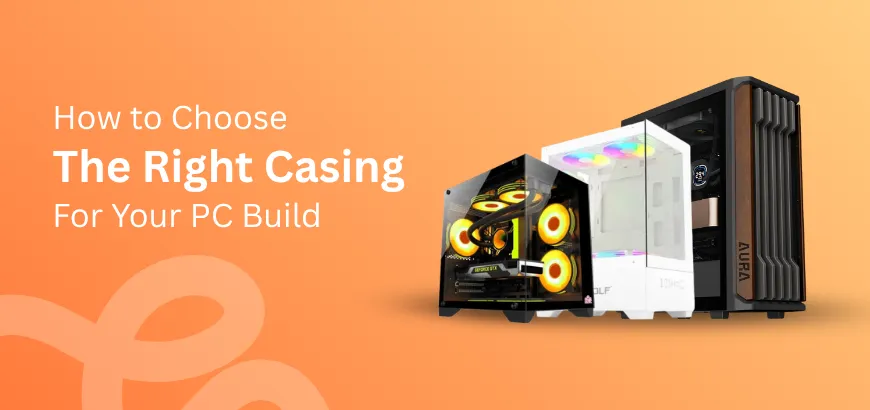
Building or upgrading a desktop? Picking the best computer case is a big deal for PC builders. It’s not just about cool looks. The right case impacts airflow, cleaning convenience, and how well your components fit together. If you are building a PC or upgrading an old desktop, knowing how to pick the best PC case can save you headaches later. When choosing the right PC case, focus on six key criteria: motherboard form factor, case size, airflow and cooling, component compatibility, additional features, and overall aesthetics.
Table of Contents
- Popular Types of PC Cases
- Key Factors to Look For in a PC Case
- Additional Features To Consider in A Desktop Case
- Final Thoughts on Choosing the Right Case
This PC case buying guide blog is here to help gamers, content creators, and tech enthusiasts find their perfect match. Different users have different needs, and the right case can make all the difference in performance and style. Up next, we’ll dive into the popular types of PC cases most users select to help you decide.
Popular Types of PC Cases
Our guide to different computer cases will help you find one that matches your daily computing needs, whether you are building a gaming rig, a video editing workstation, or an office desktop build.
Full Tower Cases
Full tower cases are ideal for users who need maximum space. These cases can house large 420mm liquid coolers, multiple hard drives, and even dual GPUs. If you are looking for a gaming PC case or a case that your giant graphics card nicely fits in, this is the way to go. They also offer good airflow, making them perfect for high-performance builds.
If you have limited desk space, we assume a full tower case is not ideal for your computer desk.
Mid-Tower Cases
Mid-tower cases are the most popular choice found on most desktop case buying guides. They strike a balance between size and functionality. The majority of desktop computer users find them suitable for most users. Whether you are assembling a video editing workstation or a general-purpose PC, mid-towers offer sufficient GPU backplate slots and support for standard liquid-cooling setups.
Mini-Tower Cases
Mini-tower cases are compact and perfect for small desks. If you need a mini PC case for a small space or an office desktop build, this type is a great pick. Although they save space, they may limit component options. So, ensure you choose the right case size for you.
Understanding these available types of PC cases through reading our PC case buying guide will help you pick the one that fits your needs. However, the guide continues by considering that the PC case features in most cases are more important for the best selection. Next, we’ll explore the key features to look for when selecting a PC case:
Key Factors to Look For in a PC Case
As you are looking for a new case in 2026, you'll find PC case companies offering a variety of features to suit various needs. But which feature is your priority and which is not? You will get the answers by following this complete blog article on the PC case buying guide.
Motherboard Form Factor & Size
The motherboard type you need to install, or that you have already bought, determines the case size. You might be thinking, “What size case do I need for my motherboard?” For instance, a mini-ITX, micro-ATX, or standard ATX motherboard? Each form factor needs specific space and mounting requirements.
For example, you cannot fit an ATX motherboard into a mini ITX or micro ATX casing. Always check the case specifications to ensure compatibility with your motherboard's physical size and other components you plan to install.
Airflow and Cooling
Efficient air circulation is most important in a PC case to make sure it always delivers its best. Proper fan placement improves cooling performance, keeping components cool in hot weather and extending their lifespan. Look for cases with mesh front panels, quality air intake, pre-installed fans for saving your money, or even support for additional fan slots. These features ensure better airflow and help maintain optimal temperatures during heavy usage.
RGB Setup
RGB lighting adds personality and flair to your build. Some cases come with preinstalled RGB fans, ARGB strips, or even a dedicated fan hub for easy customization. Streamers and gamers often prefer cases with vibrant lighting options to enhance the visual appeal of their setups. Whether you want subtle accents or a full light show, following the RGB setup checklist from our PC case buying guide can make your build stand out.
Component Slots & Expandability
The number of SSD and internal hard disk drive slots, drive bays, and fan slots matters for future upgrades. A mid-tower case usually offers enough expansion for most users, while a full-tower case provides even more room for additional components. If you plan to add more storage or cooling options later, ensure the case has sufficient expansion slots to accommodate your needs.
Radiator Installation Support
AIO liquid coolers require proper radiator support for efficient cooling. Check the cooler clearance and whether the case supports radiators of various sizes. From a 90mm low-profile CPU cooler to larger 360mm radiator setups, the right case ensures easy installation and optimal cooling performance. This is especially important for high-performance builds that generate more heat.
Graphics Card Compatibility
Make sure there is sufficient component clearance to avoid installation problems. Unquestionably, the best PC case for gaming should have enough space for high-end GPUs and sufficient GPU backplate slots. Always measure your graphics card and compare it with the case specifications to ensure a perfect fit.
Additionally, a missing GPU holder cutout can be an issue for users with larger graphics cards. Look for a case with GPU-sag mounting support to ensure your motherboard's PCI-E slot is protected and your bulky graphics card is securely held.
PSU Compatibility
Power supply compatibility is another critical factor. While ATX power supplies are common, some compact builds require SFX power supplies. Always confirm PSU compatibility to avoid installation issues and ensure the PSU fits securely within the case.
Side Panel Choices
Tempered glass side panels are popular for showcasing your build, especially if you have invested in RGB lighting. On the other hand, metal side panels are strong enough to reduce vibration noise and are better for silent operation. For those who prioritize quiet performance, sound-dampening panels are an excellent choice. Consider your priorities when selecting the side panel type.
Front Panel Ports & Position
I/O ports on the top, front, or side can affect usability and convenience. USB Type-C on the front panel is a must-have for modern builds. This accessibility ensures faster data transfer and compatibility with newer devices. Choose a layout that suits your workspace and makes accessing ports easy.
Build Quality & Materials
As per our PC case buying guide, we suggest desktop casing models with stronger materials that reduce vibration noise and improve durability. This ensures your case lasts for years. Brands like budget-friendly Value-Top casing, PC Power, DeepCool, and Corsair PC cases are known for reliable build quality.
Design and Aesthetics
The best way to choose a PC chassis is to balance looks with functionality. RGB fans, mesh panels, and sleek designs make a case stand out while keeping it practical. Whether you prefer a minimalist look or a bold, eye-catching design, there’s a case to match your style.
Additional Features To Consider in A Desktop Case
After understanding the key factors for selecting a PC case, it’s time to explore some extra features that can take your build to the next level. This comprehensive guide to computer cases will help you create your dream gaming setup with added convenience and functionality.
Removable Dust Filters
Keeping your PC cool and stable requires clean airflow. Removable dust filters make maintenance easier by trapping dust before it clogs your components. Desktop cabinets from different brands, like NZXT PC cases, include these filters for better long-term performance.
Cable Management Support
Clean cable routing is an essential feature of our PC case buying guide for a tidy, efficient build. Cases with dual-chamber designs or dedicated cable channels simplify cable routing. Desktop casing buying guides also highlight this feature for its impact on airflow and aesthetics.
Digital LED Display
A PC case with a display adds a modern touch to your setup. These screens can show system stats, temperatures, or even custom animations. Thermaltake PC cases often come with digital displays for tech enthusiasts and gamers.
Tool-Less Design
Tool-less designs make assembling and upgrading your PC hassle-free. Whether you are swapping drives or adjusting components, this feature saves time and effort. It is a good feature for both beginners and experienced PC builders.
Custom Water Cooling
Custom water-cooling loops are more complex than regular all-in-one and tower CPU coolers. They offer superior cooling performance and a unique aesthetic. If you are building a high-end gaming PC case, this feature is worth considering.
Portability
For users who frequently move their PCs, portability is key. PC cases with a handle are perfect for compact setups, such as mini-ITX builds. Because they combine convenience with functionality. These additional features highlighted from our PC case buying guide can take your build to the next level.
Final Thoughts on Choosing the Right Case
Choosing the right case ultimately ensures that all your components fit easily, stay cool under sustained stress, and meet your PC usage needs. From understanding the key factors to exploring additional features, this PC case guide for beginners in 2026 has covered everything you need to know. Whether you are building a gaming PC or planning to update your current setup, the right case makes all the difference.
Now that you are equipped with the knowledge to pick the perfect gaming PC case or desktop PC casing, it’s time to take action. For the best options from premium brands like ASUS and value-for-money choices from Antec, visit CCTV Shop, the most trusted computer shop in Bangladesh. Following this PC case buying guide will ultimately enable you to choose the best computer casing for your home, office, or gaming desktop.
Frequently Asked Questions (FAQS)
How do I choose the right PC case size?
To choose the right PC case size, consider your motherboard form factor (mini-ITX, micro-ATX, or ATX), GPU length, cooler clearance, and desk space. Our PC case buying guide can help match your needs with the right size.
What size case do I need for an ATX motherboard?
For an ATX motherboard, you need a mid-tower or full-tower case. Both sizes support ATX boards, but a full-tower offers more room for additional components. Refer to a PC case buying guide for detailed compatibility.
Do all PC cases support liquid cooling?
No, not all PC cases support liquid cooling. Check the case specifications for radiator support and cooler clearance. A PC case buying guide can help identify cases designed for liquid cooling setups.
How to check GPU compatibility with a PC case?
To check GPU compatibility, measure your GPU length and compare it with the maximum GPU clearance listed in the case specifications.
Which is better, a mid-tower or a full-tower case?
Mid-tower cases are better for standard builds, offering a balance of size and functionality. Full-tower cases are ideal for advanced setups with more components. A PC case buying guide can help you decide based on your needs.
What features should a PC case have?
A good PC case should ensure proper airflow, cable management, dust filters, sufficient expansion slots, and compatibility with your components. A PC case buying guide can help you identify essential features for your build.

Comments
There are no comments for this Article.